Apps & Addons We Built
Ready-to-install Odoo modules crafted by our team — each solving a real-world business problem.
Sales → Purchase Cycle
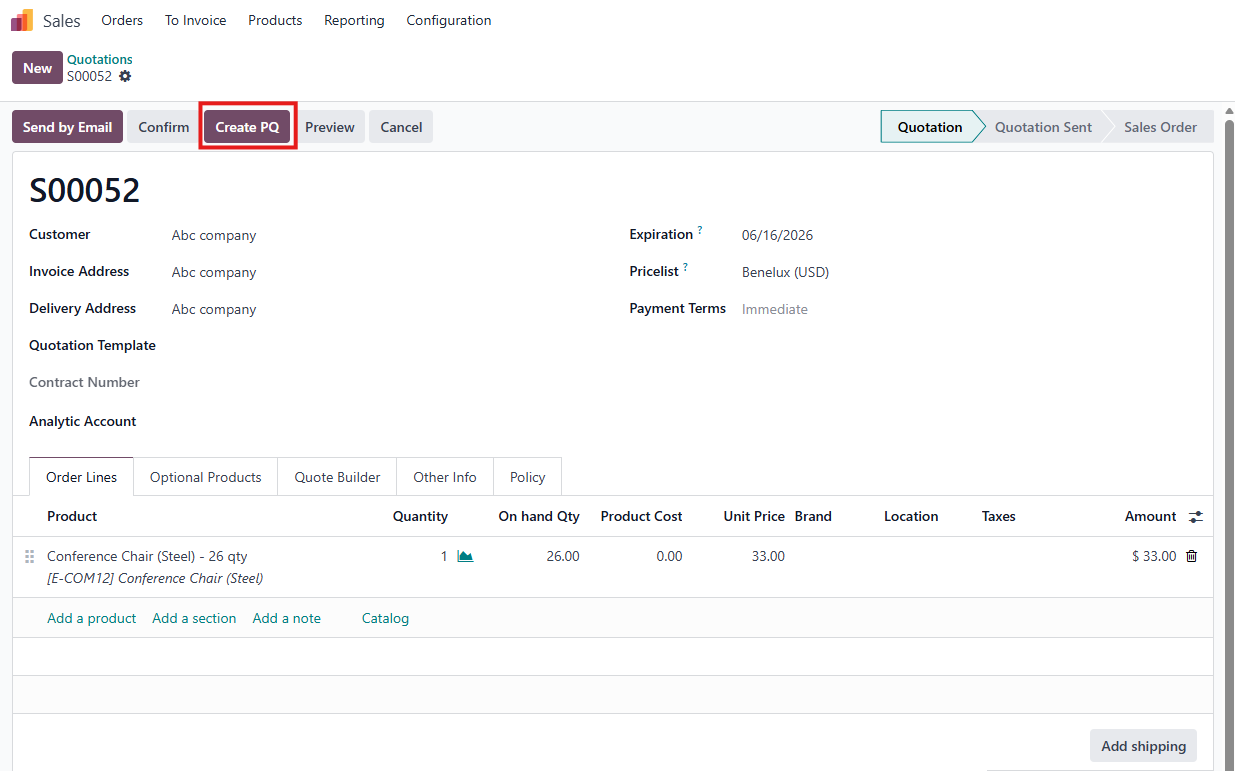
A smart bridge module that connects your Sales and Purchasing flows to handle out-of-stock items without missing a beat. When a customer order can't be fulfilled from current stock, this addon lets you instantly generate a Purchase Quotation (PQ) directly from the Sales Order — keeping both teams in sync and the workflow moving.
- One-click Create PQ button on Quotation / Sales Order to auto-generate a Purchase Quotation for out-of-stock products.
- Automatically maps sales order lines to purchase order lines — product, quantity, and vendor in one step.
- Displays On-Hand Qty directly in the order line for instant stock visibility while quoting.
- Eliminates manual data re-entry between Sales and Purchase teams — faster response, fewer errors.
- Works seamlessly across Odoo 16 to 19 with no core overrides.
Attendance Overview
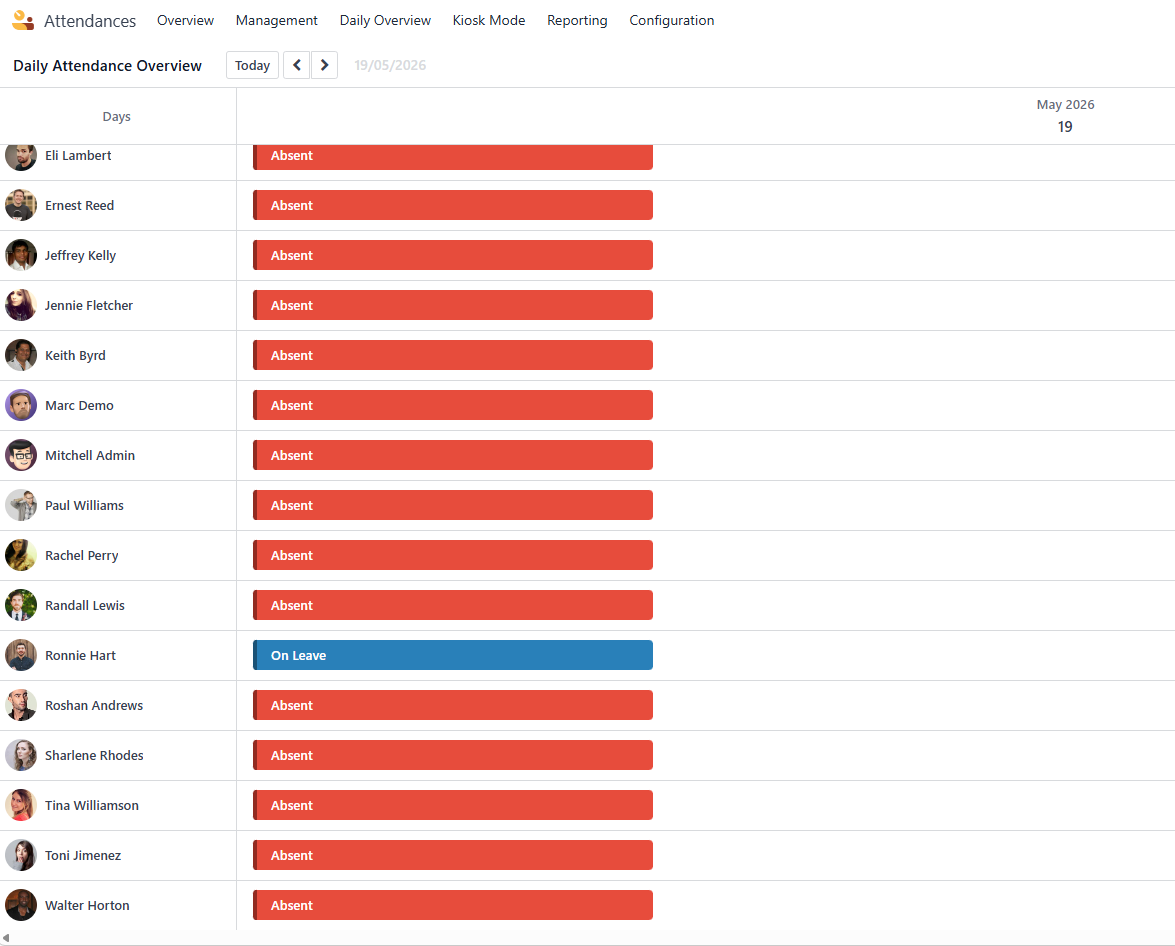
A dedicated Daily Overview dashboard added right inside Odoo Attendances. At a glance, managers see the real-time attendance status of every active employee for any selected date — no more digging through raw check-in records. Color-coded indicators make the entire workforce status instantly readable.
- Present — employee checked in before 14:00; shows exact check-in time (From HH:MM:SS).
- Absent — no qualifying check-in and current time is past 09:00; highlighted in red for immediate action.
- On Leave — employee has an approved time-off covering the selected day; shown in blue.
- Week Off — automatically marks Fridays (or your configured off-day) as Week Off with no false absences.
- Navigate day-by-day with prev/next arrows or jump to Today — all employees, all statuses, one view.
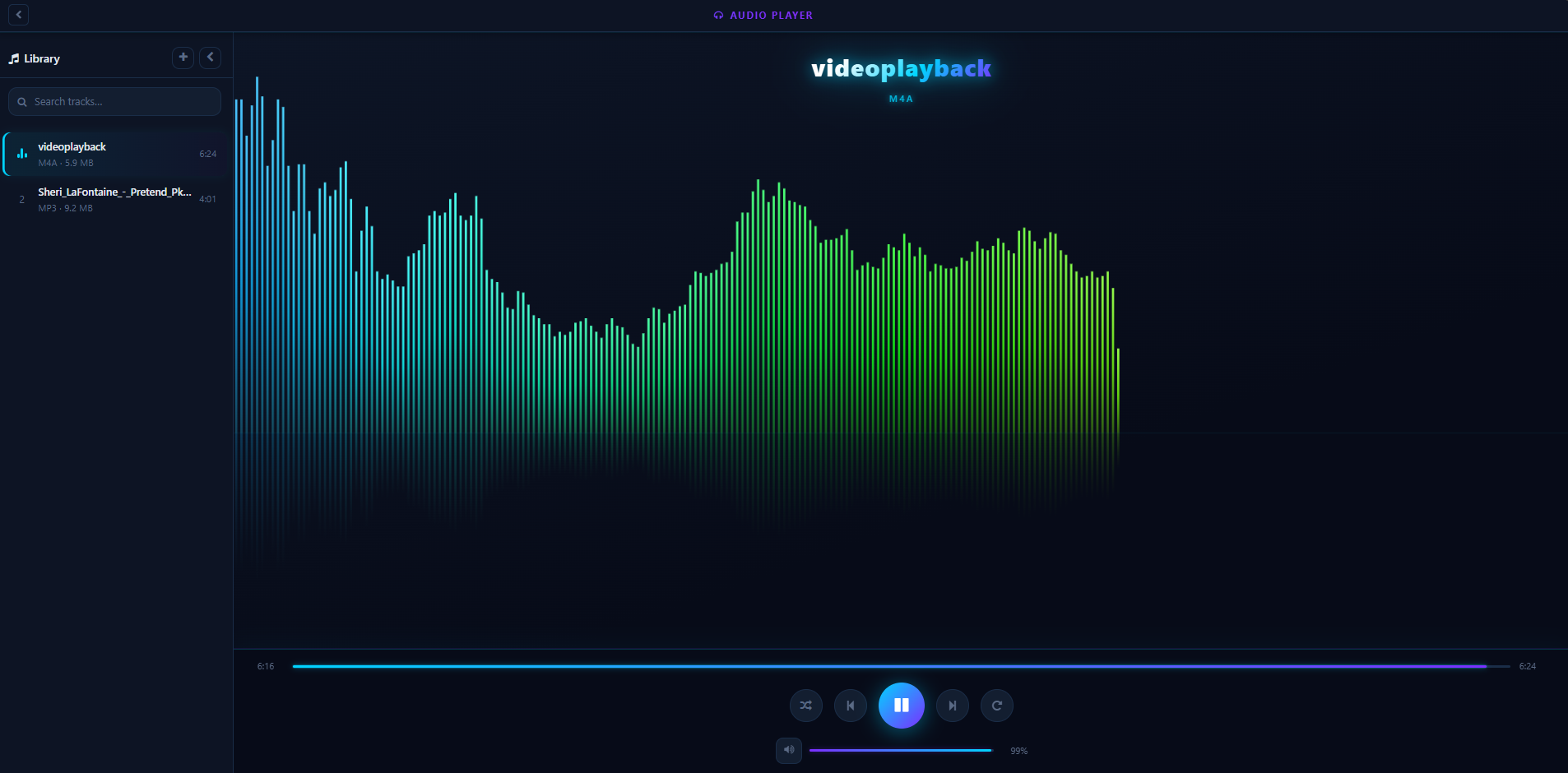

AKI Audio Player
A full-featured music player built right into Odoo. Scan your local audio folder, play tracks offline, enjoy a real-time neon visualizer, and keep music running while you work with a floating mini player.
- 100% offline playback from your local library with no uploads or cloud dependency.
- Local library scanner reads folders and subfolders to build your track list instantly.
- Real-time neon visualizer with full playback controls, seek, shuffle, repeat, mute, and volume.
- Floating mini player stays available while navigating across Odoo screens.
- Session memory restores the current track, volume, and playback state after reload.